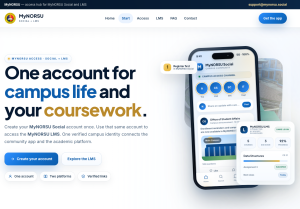
MyNORSU Social — verified university community platform
Access Hub Register first, then use the same account for MyNORSU LMS.
MyNORSU Help Center

Everything you need to use MyNORSU and the LMS.

Browse clear, step-by-step guides for registration, account approval, course access, assignments, attendance, grading and other MyNORSU tools. Choose the guide below that matches what you need to do.

Get Support

How to use this help center

Find the right guide, complete the task, then continue in MyNORSU.

This resource center is designed for practical MyNORSU and LMS tasks. Instead of searching through general documentation, choose the action you need to complete and follow the matching guide. The guides cover account setup, course access, submissions, attendance, grades, course creation, materials and assignment management.

1

Start with the correct account

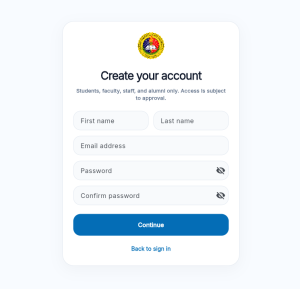
New users should begin with MyNORSU registration and make sure their profile details are correct. Account approval and accurate information help ensure that the right university services and LMS access are associated with the account.
2

Use the guide for your task

Students and faculty have different workflows. Choose a guide based on what you are trying to do—such as joining a course, submitting work, checking grades, creating a course or uploading teaching materials.

3

Continue in MyNORSU or the LMS

MyNORSU is the access point for the wider community platform, while the LMS handles academic course activity. Where LMS access is enabled, the same MyNORSU account is used so users do not need to maintain a separate identity for these connected services.

Choose your path

Guidance for new users, students and faculty.

The help center is organized around the people who use MyNORSU most often. Each section below explains what that audience can accomplish and points to the detailed step-by-step articles already available on the site.

New users

Start here if you are creating a MyNORSU account for the first time or correcting account information. The setup guides explain registration, approval and profile details so you can reach the rest of the platform with the right account information from the beginning.

Students

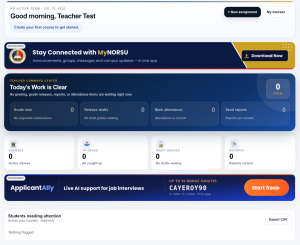
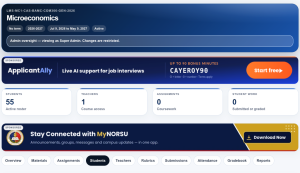
Student guides focus on the academic tasks used most often inside the LMS: accessing courses, submitting assignments, understanding attendance records, and viewing grades or teacher feedback. Each guide is written around one clear task.

Faculty

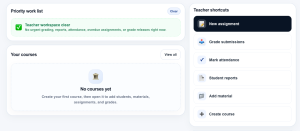
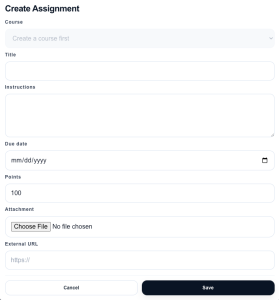
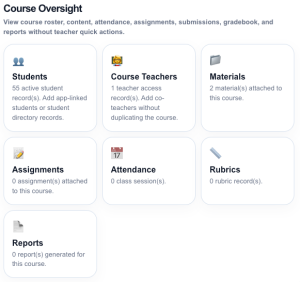
Faculty resources cover course setup and day-to-day teaching workflows, including creating courses, uploading course materials, creating assignments and grading student work. These guides are intended to reduce setup time and make common LMS actions easier to find.

MyNORSU + LMS

One connected path for community access and academic work.

MyNORSU provides the wider university community experience and the starting point for account access. The LMS is the academic workspace for courses, materials, assignments, attendance and grades. Keeping these functions connected makes it easier for users to know where to begin and which system to use for a specific task.

If you are new, begin with account registration and approval. If your account is already active, choose the student or faculty guide that matches the action you need to complete. The detailed articles below provide the step-by-step instructions.

Still need help?

If the guide does not resolve your issue, use the MyNORSU contact page and describe the task you were trying to complete, the page you were using and what happened.

Contact MyNORSU Support