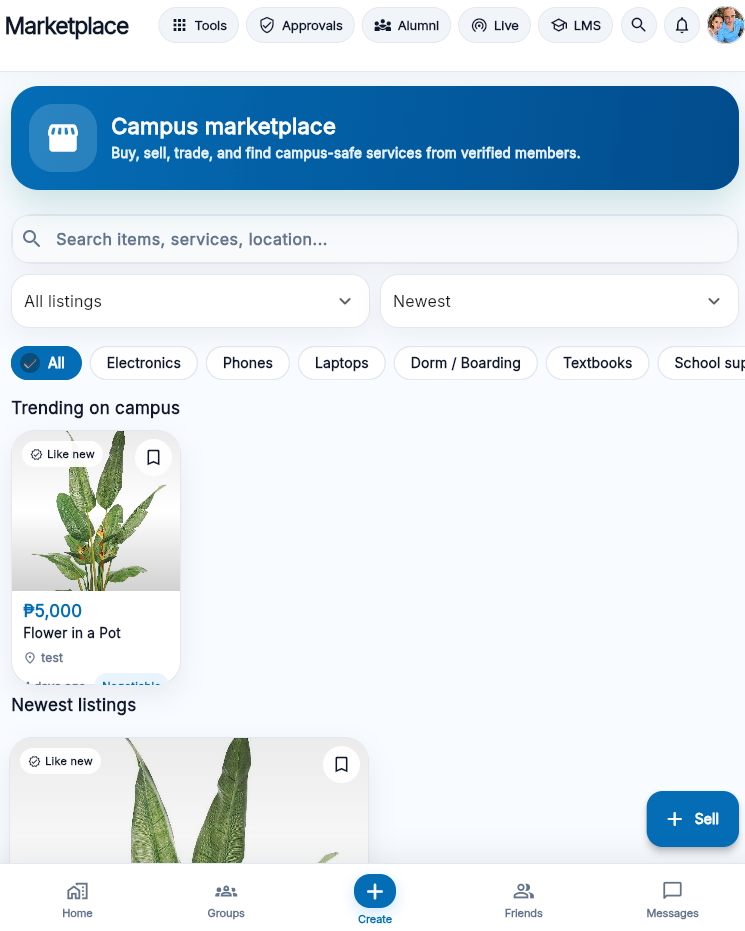
1. Create listings that are accurate and complete.
An accurate marketplace listing should answer basic questions before a buyer sends a message. Include the item name, real photos, condition, price, pickup or meetup area, and any defects. For used items, state that clearly. When the price is fixed, say it in the listing rather than in private messages. Also mention when accessories are not included.
Avoid misleading photos, copied product images without explanation, fake scarcity, or claims that cannot be proven. In addition, do not list prohibited, illegal, unsafe, counterfeit, stolen, or restricted items. When an item requires age, legal, or official permission, use an official channel instead of a casual student marketplace.
Good listing
“Used scientific calculator, working, minor scratches, includes case, ₱450, meetup near main gate.”
Weak listing
“Rush sale, perfect item, pay first, no questions.” This creates risk; therefore, buyers should avoid it.
2. Buyer checklist before sending money.
Buyers should slow down when a deal looks unusually cheap, when the seller refuses basic questions, or when immediate payment is demanded. First ask for current photos, then confirm the item condition, check whether the account looks legitimate, and agree on a public meetup when possible.
- Ask for clear photos taken now, not only catalogue images.
- Confirm exact item model, size, quantity, condition, and included accessories.
- Also ask whether there are defects, missing parts, repair history, or limitations.
- Do not pay a deposit unless the reason is clear and the risk is acceptable.
- Finally, keep all transaction messages until the item is checked and accepted.
Stop the deal if the seller refuses inspection, changes the price after agreement, or asks you to move to a suspicious channel. Also stop when payment is pushed before you can verify the item.
3. Seller checklist before handing over an item.
Sellers also need protection. Before meeting, confirm the buyer's identity, agree on the price, and avoid carrying many items or large cash amounts. Then release the item only after payment is confirmed. For digital payment, check that the money actually arrived in your account, not only that the buyer showed a screenshot.
When the buyer keeps changing the location, brings unnecessary pressure, asks to borrow the item first, or wants to pay later, cancel the transaction. Instead, keep the item and wait for a safer buyer.
4. Handle payment in a way that leaves proof.
Payment should be simple, traceable, and agreed in advance. Cash can work for low-value items when both parties meet in public. Digital payment can also work when both sides confirm receipt before the item changes hands. However, avoid complex arrangements involving third parties, advance deposits, overpayment refunds, or claims that someone else will collect the item.
- First, agree on the total amount before meeting.
- Inspect the item before final payment when possible.
- Confirm actual receipt of funds, not only screenshots.
- After payment, send a short confirmation message to close the deal.
5. Prevent and handle disputes cleanly.
Most disputes come from unclear condition, missing accessories, payment confusion, or rushed meetups. Therefore, write the important terms in the chat before meeting: item, price, condition, meetup place, and whether returns are accepted.
When a dispute happens, stay factual. Do not threaten, insult, expose personal information, or start a public attack. Instead, collect the listing, messages, payment proof, and photos. Then use the platform's contact or reporting channel if the issue involves scams, fake listings, harassment, repeated abuse, or suspected stolen items.
High-risk warning signs
- “Pay now or I will sell to someone else” pressure.
- Refusal to provide current photos or meet publicly.
- Requests to send money to a different name or unknown third party.
- Overpayment followed by a request to refund the extra amount.
- Multiple similar listings using the same photos from different accounts.
Real scenario: the overpayment refund request
Situation. A buyer sends a payment screenshot showing more than the agreed price, then asks the seller to refund the difference to a different account before the item is handed over.
What to do. Log in and confirm the actual amount received in your own account first — never refund based on a screenshot alone. If the funds never arrived, or the "overpayment" is a fabricated screenshot, stop the transaction and report the account.
Why it matters. This is one of the most common marketplace scam patterns nationwide, not unique to MyNORSU Social. Screenshots can be edited; only your own account balance is proof of payment.
Frequently asked questions
Can I negotiate price through direct messages instead of the listing?
Yes, but write the final agreed price and condition back into the chat before meeting, so there is a record both sides can refer back to if something is disputed later.
What items are not allowed on the marketplace?
Illegal, counterfeit, stolen, unsafe, or age-restricted items are not allowed. Academic dishonesty items — such as pre-written assignments or exam answers — are also prohibited under the platform's posting standards.
Is there a fee for using the marketplace feature?
No. Listing and browsing the marketplace inside MyNORSU Social does not carry a platform fee. Payment terms are agreed directly between buyer and seller.
What should I do if a seller stops responding after payment?
Keep the listing, chat history, and payment proof, then report the account through the contact page immediately rather than waiting — the sooner it is reported, the sooner moderators can act.